ProductBackground

The Discovery edit · 8 scenes

Product photography background ideas

Eight AI-generated scenes from our Discovery gallery. Find your setting, adapt a prompt, and add your real product in Photoshop.

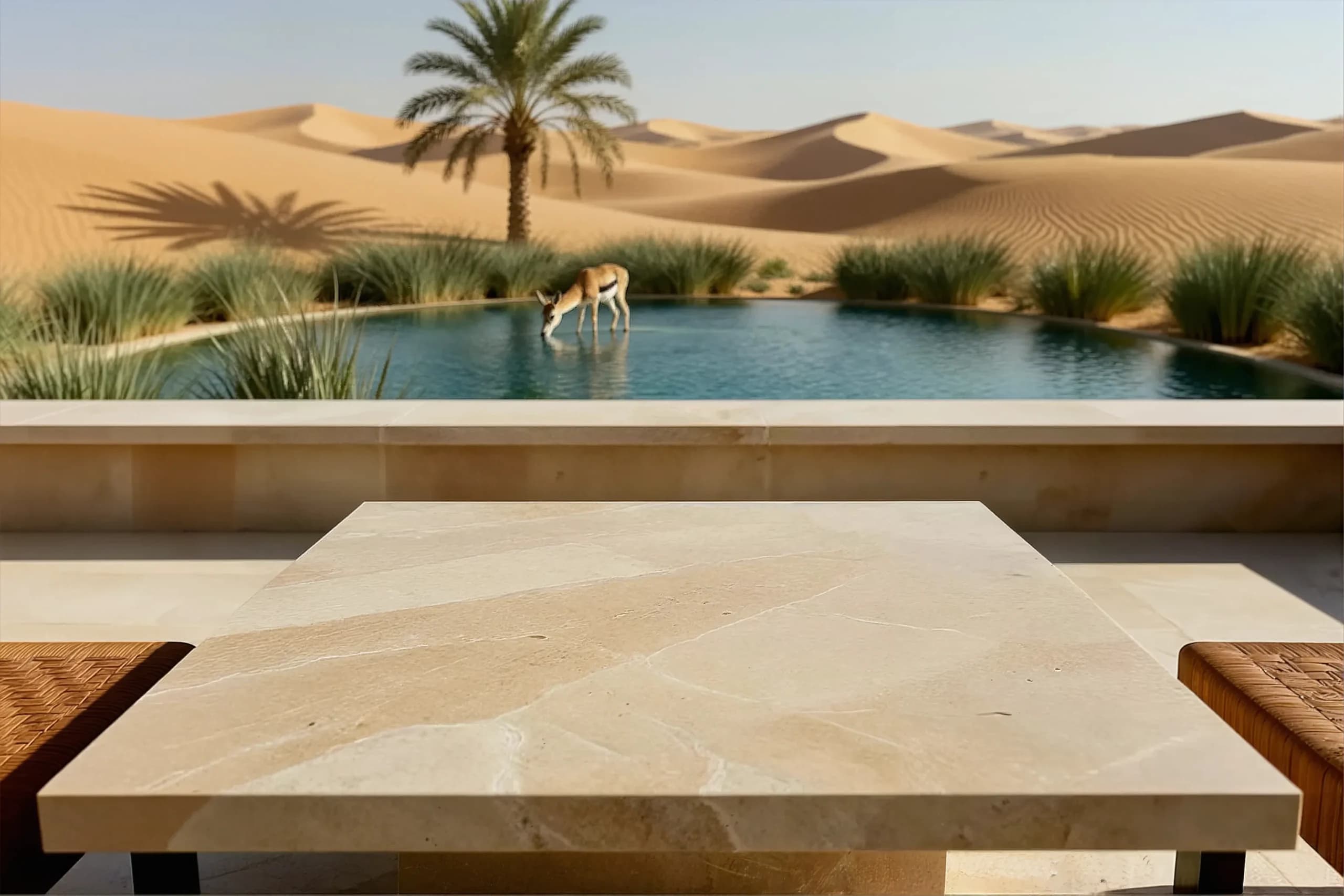
Empty beige stone table overlooking a turquoise oasis, a drinking gazelle, a palm tree, and golden dunes
Desert oasis · Warm stone, cool water, room for your product.

By ProductBackground ·

From the Discovery gallery

Eight scenes. Find your product’s setting.

These are published ProductBackground results in their original proportions. The product suggestions are starting points for a composite. The prompts describe the visible scenes; they are not the original generation prompts, and new results will vary.

01

Fragrance & beauty · Campaign hero

Fragrance Campaign at a Desert Oasis

A pale stone table overlooks turquoise water, a drinking gazelle, a single palm, and sunlit dunes. The product area stays clear while the landscape supplies the story.

Why it works
Warm stone and sand contrast with cool water. A small bottle can borrow that warm-weather mood without extra props in its contact area. The gazelle is a narrative accent, not a documentary wildlife claim.
Placement guidance
Place the pack on the central stone surface, below the pool edge. Match the warm light and table perspective; keep the animal visible rather than covering it with a product or headline.
Channel use
The original landscape image suits a campaign header or editorial module. Check the palm, gazelle, and table together before choosing a narrower crop; extend the scene if the layout needs more space.
Good product fits
Suggested uses: fragrance, sunscreen, body care, or compact travel accessories. The real product is added in your editor.
Discovery original · horizontalWarm beige stone
Empty beige stone table overlooking a turquoise oasis, a drinking gazelle, a palm tree, and golden dunes
Read the scene-inspired prompt

Written for the scene shown above, not the original generation prompt. New results will vary.

Empty product backplate on a shaded desert terrace, a broad pale beige stone table in the foreground, a turquoise oasis pool beyond a low stone wall, reeds, one date palm and golden dunes in the distance, a gazelle drinking beyond the table, warm directional daylight, frontal low camera with the tabletop visible, realistic stone texture, keep the table clear for a fragrance or skincare composite, no product, no bottle, no packaging, no text or logo.
Use in generator

Browse the Discovery gallery
02

Skincare & personal care · Portrait campaign

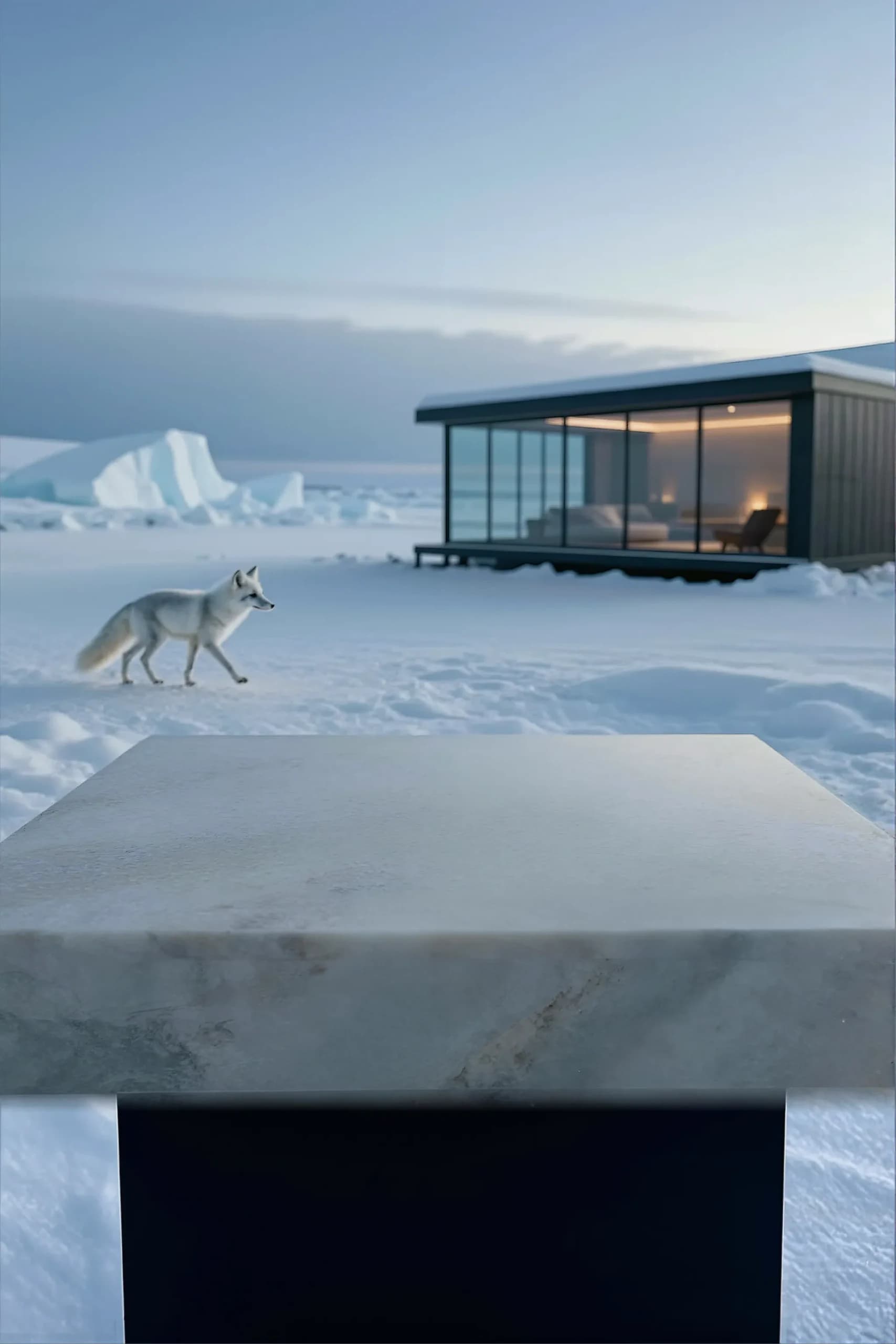
Skincare in an Arctic Cabin Landscape

A light stone block anchors a quiet snow scene, with an Arctic fox to the left and a warmly lit glass cabin to the right.

Why it works
Cool snow and restrained stone texture create a clean setting. The warm cabin prevents the frame from becoming a flat white sweep. This is a campaign mood, not evidence of cooling, purity, or other product benefits.
Placement guidance
Use the top of the stone block, not its vertical face, as the contact plane. Pale packaging needs edge contrast against the snow; retain the fox and cabin as secondary elements.
Channel use
The portrait source keeps sky, cabin, wildlife, and foreground in one composition. It suits a mobile editorial panel; a wide header would need a separate layout or horizontal extension.
Good product fits
Suggested uses: skincare jars, hand cream, compact bottles, or winter travel packaging.
Discovery original · verticalPale matte stone
Empty pale stone block in snow with a white Arctic fox, distant ice, and a warmly lit glass cabin
Read the scene-inspired prompt

Written for the scene shown above, not the original generation prompt. New results will vary.

Empty product backplate in a quiet Arctic landscape at blue hour, broad pale matte stone tabletop in the immediate foreground, snow and distant ice formations, a white Arctic fox walking to the left, a minimal glass cabin with subtle warm interior light on the right, cool blue ambient light, frontal low camera with visible table depth, keep the surface clear for a skincare composite, no product, no packaging, no text or logo.

Use in generator

Browse the Discovery gallery
03

Watches & outdoor accessories · Launch editorial

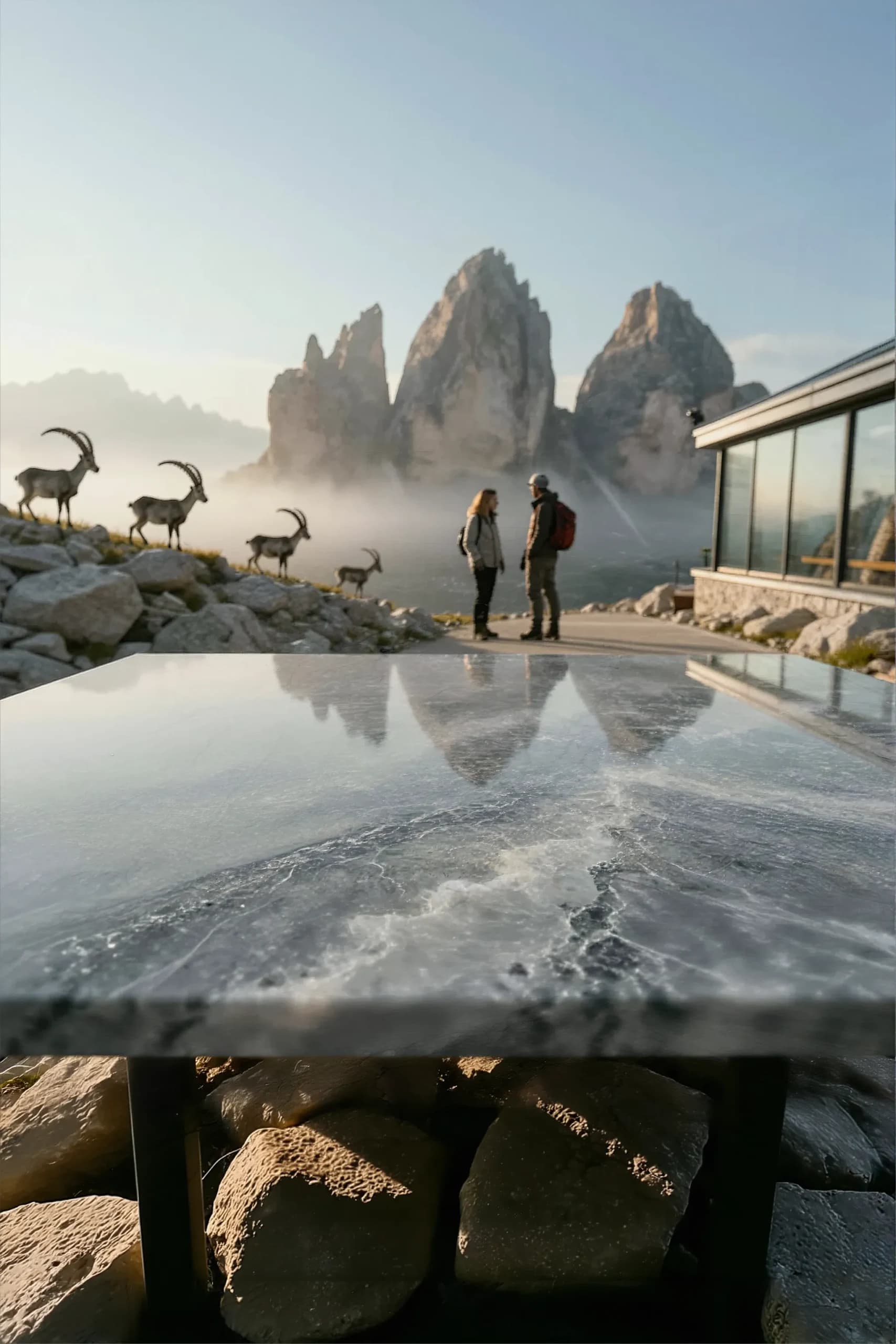
Outdoor Watch Campaign beneath Alpine Peaks

A reflective grey stone table faces jagged mountains, two hikers, and ibex on a rocky slope beside a glass-fronted mountain building.

Why it works
Stone veining and mountain silhouettes give the scene a rugged character. The hikers establish a human scale while the reflective foreground offers a place for a compact product.
Placement guidance
Keep the product base on the tabletop and build a reflection from the actual cutout. Avoid bright veins behind small lettering. The landscape alone does not substantiate durability or performance claims.
Channel use
Use the portrait composition for a launch story or mobile campaign. Leave peaks and hikers readable; do not crop away the contact plane just to fit a banner.
Good product fits
Suggested uses: outdoor watches, compact cameras, eyewear cases, or small technical accessories.
Discovery original · verticalPolished grey stone
Empty reflective grey stone table before alpine peaks, two hikers, ibex, and a glass-fronted mountain building
Read the scene-inspired prompt

Written for the scene shown above, not the original generation prompt. New results will vary.

Empty product backplate on an alpine observation terrace, broad polished grey stone table with white mineral veining in the foreground, jagged mountain peaks and morning mist beyond, two adult hikers near a glass-fronted mountain building on the right, ibex on a rocky slope to the left, low directional daylight and realistic reflections, frontal camera with visible tabletop, keep the foreground clear, no product, no watch, no packaging, no text or logo.

Use in generator

Browse the Discovery gallery
04

Compact electronics · Product story

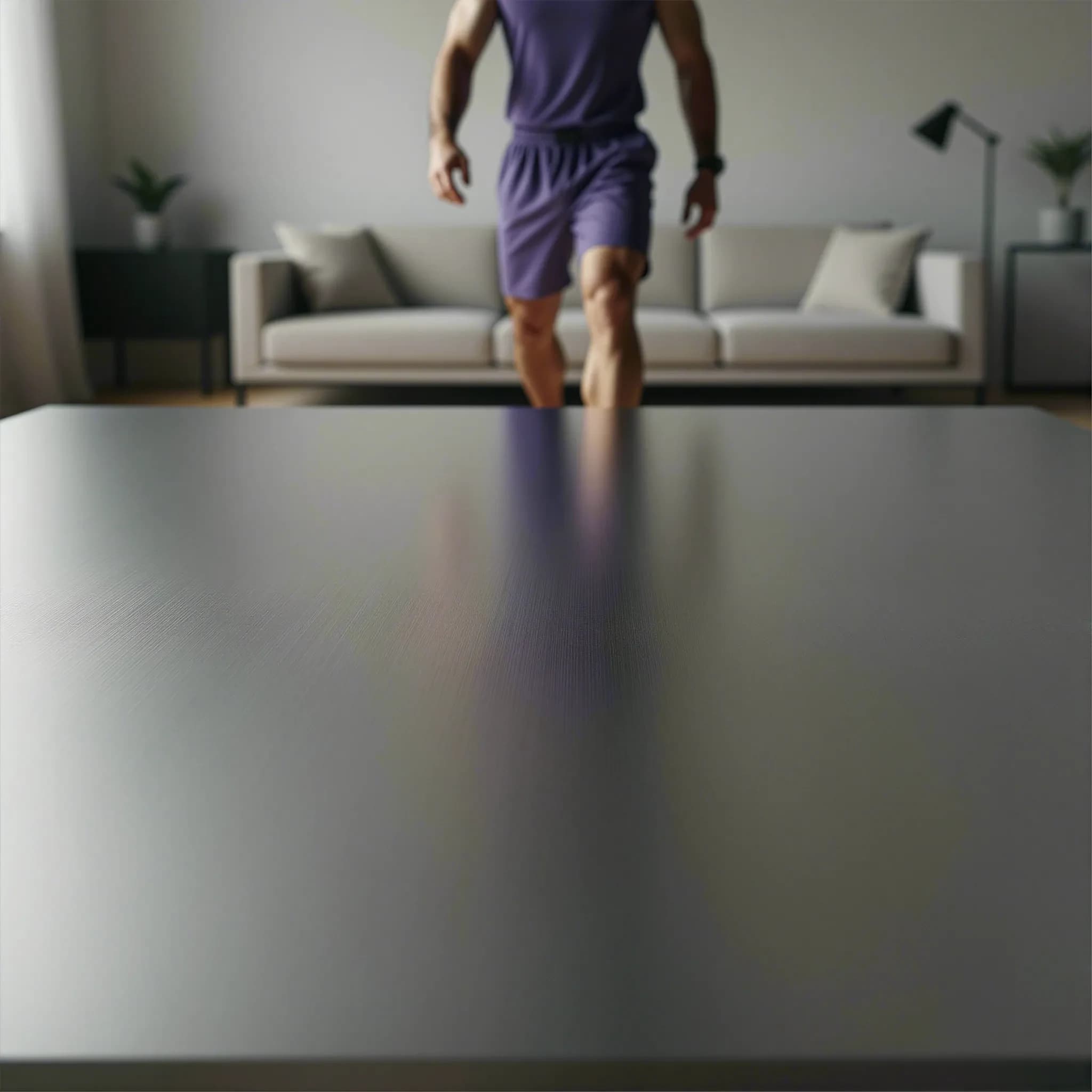
Everyday Technology on Brushed Steel

A silver brushed-metal surface fills the lower frame. Behind it, an adult in purple sportswear crosses a softly blurred living room.

Why it works
Fine metal grain suggests a technical surface while the sofa and sportswear keep the setting domestic. The person is secondary; their head is outside the original frame.
Placement guidance
Place a device within the clear metal area and match the soft window light. Account for the purple reflection when balancing a neutral product; do not treat the person as a testimonial.
Channel use
The square source works for a product-story tile or social feed. Preserve the foreground; use a separately composed extension when the layout calls for a full-height person.
Good product fits
Suggested uses: headphones, small speakers, activity accessories, or compact smart-home devices.
Discovery original · squareBrushed steel
Empty brushed steel tabletop with a softly blurred person in purple sportswear and a neutral living room behind it
Read the scene-inspired prompt

Written for the scene shown above, not the original generation prompt. New results will vary.

Empty product backplate in a minimal contemporary living room, broad silver brushed-steel tabletop in sharp focus in the foreground, an adult in purple athletic clothing walking behind the table, neutral sofa, plants and a dark floor lamp softly out of focus, gentle overcast window light with restrained reflections, camera close to tabletop height, clear placement area for compact electronics, no product, no device, no cables, no packaging, no text or logo.

Use in generator

Browse the Discovery gallery
05

Candles & home fragrance · Seasonal editorial

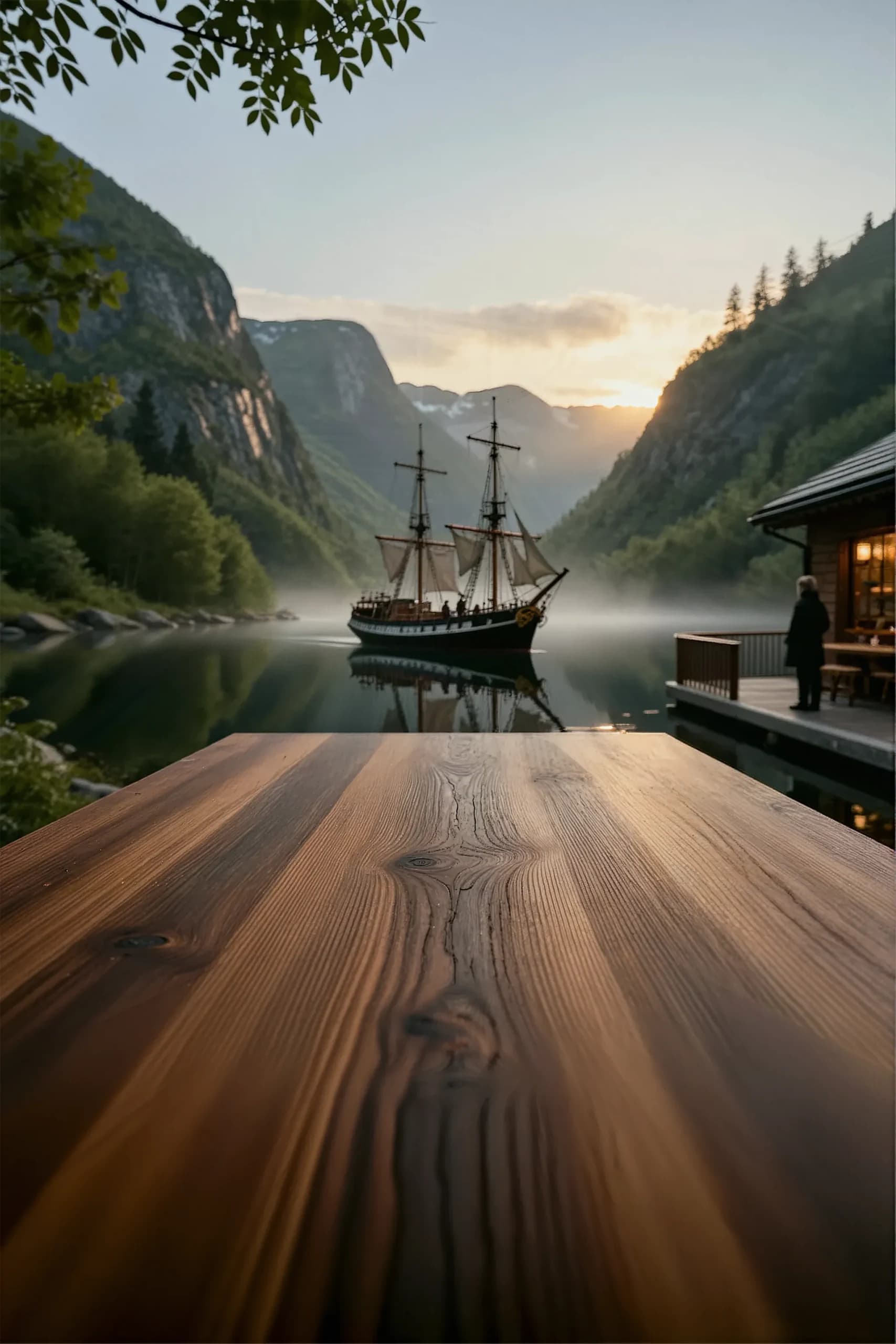
Home Fragrance beside a Quiet Fjord

A broad wooden tabletop leads toward still water, a sailing ship, steep forested cliffs, and a warmly lit lodge at sunset.

Why it works
Wood grain carries the eye into the landscape. Warm light at the lodge balances cool water, giving a home-fragrance campaign an evening mood without a generated candle in the scene.
Placement guidance
Set the vessel on the lower tabletop with a soft contact shadow. Keep it below or beside the ship silhouette and match the warm highlight direction across the wood.
Channel use
The portrait frame suits a mobile newsletter or seasonal story. A horizontal email banner needs a planned extension; cropping the sky and tabletop changes the balance substantially.
Good product fits
Suggested uses: candle jars, diffusers, room sprays, or small ceramics.
Discovery original · verticalWarm grained wood
Empty warm wooden tabletop overlooking a sailing ship on a still fjord, forested cliffs, and a lodge at sunset
Read the scene-inspired prompt

Written for the scene shown above, not the original generation prompt. New results will vary.

Empty product backplate on a wooden terrace beside a quiet mountain fjord at sunset, broad warm wood tabletop with visible grain in the foreground, an old sailing ship reflected in still water, steep forested cliffs, light mist and a lodge with warm windows on the right, a distant adult beside the lodge, leaves framing the upper edge, soft golden light, keep the tabletop clear for a home-fragrance composite, no product, no candle, no packaging, no text or logo.

Use in generator

Browse the Discovery gallery
06

Drinkware & outdoor essentials · Mobile campaign

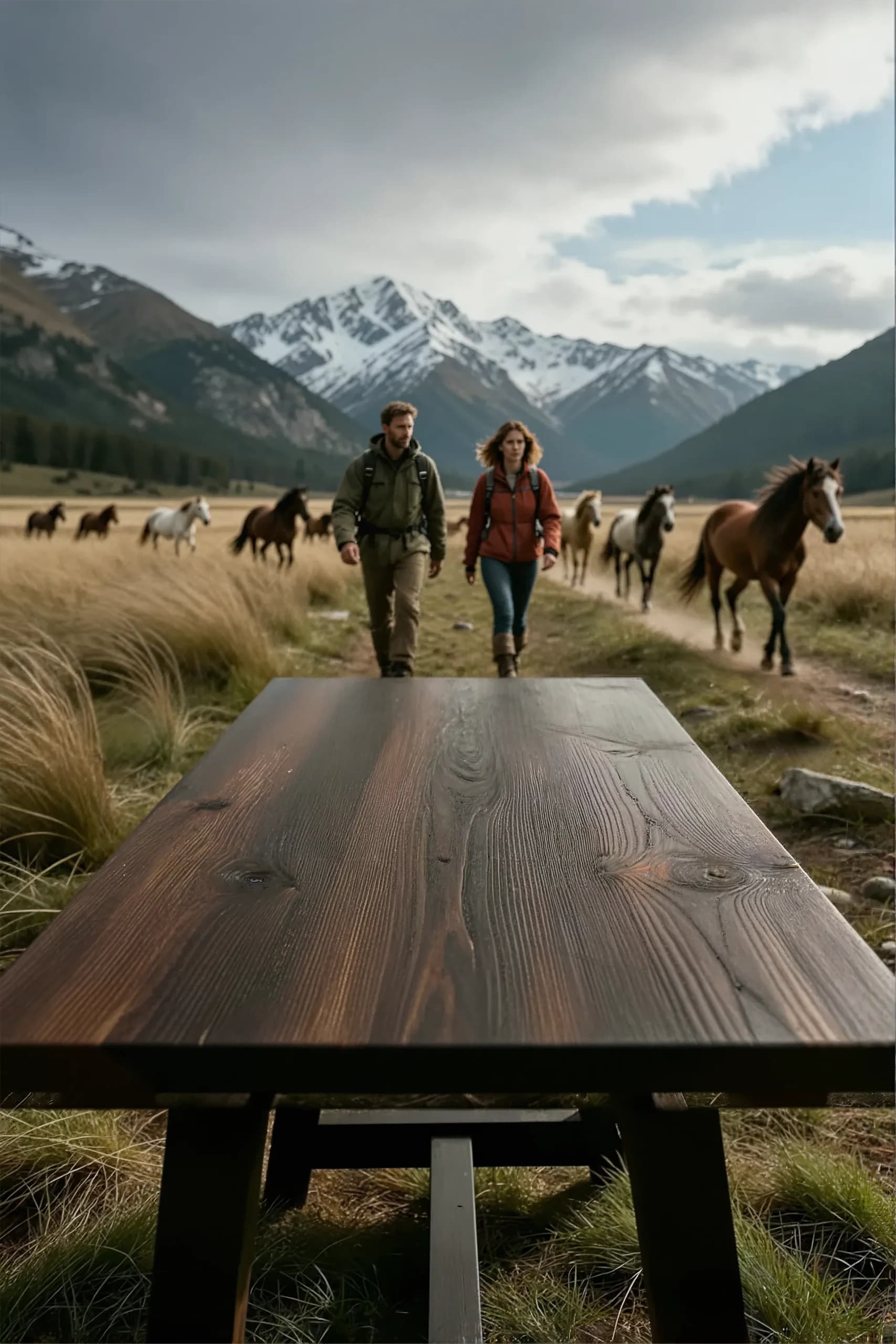
Outdoor Drinkware on a Mountain Trail

Two hikers and a herd of horses approach through golden grass beneath snowy mountains, behind a clear dark wooden table.

Why it works
The dark table separates a compact pack from the lighter grass. Hikers, horses, and mountains establish an outdoor story while the tabletop remains available for a real product asset.
Placement guidance
Use a modest product scale so the bottle does not overwhelm the hikers. Preserve the table edge and grain as perspective cues, and avoid covering faces or the nearest horse.
Channel use
The portrait source suits mobile campaign panels. Add copy in the final layout, checking contrast against the detailed sky and mountains rather than assuming they are blank space.
Good product fits
Suggested uses: reusable bottles, travel mugs, compact outdoor accessories, or packaged trail essentials.
Discovery original · verticalDark weathered wood
Empty dark wooden table with two hikers, horses in golden grass, and snow-covered mountains behind it
Read the scene-inspired prompt

Written for the scene shown above, not the original generation prompt. New results will vary.

Empty product backplate in a wide Patagonian mountain valley, dark weathered wooden table in the immediate foreground, two adult hikers in green and rust outdoor clothing approaching on a trail behind it, horses moving through golden grass farther back, snow-covered mountains under broken cloud, soft diffuse daylight and natural wood grain, low frontal camera with a clear tabletop, no product, no bottle, no packaging, no text or logo.
Use in generator

Browse the Discovery gallery
07

Beauty & accessories · Lifestyle editorial

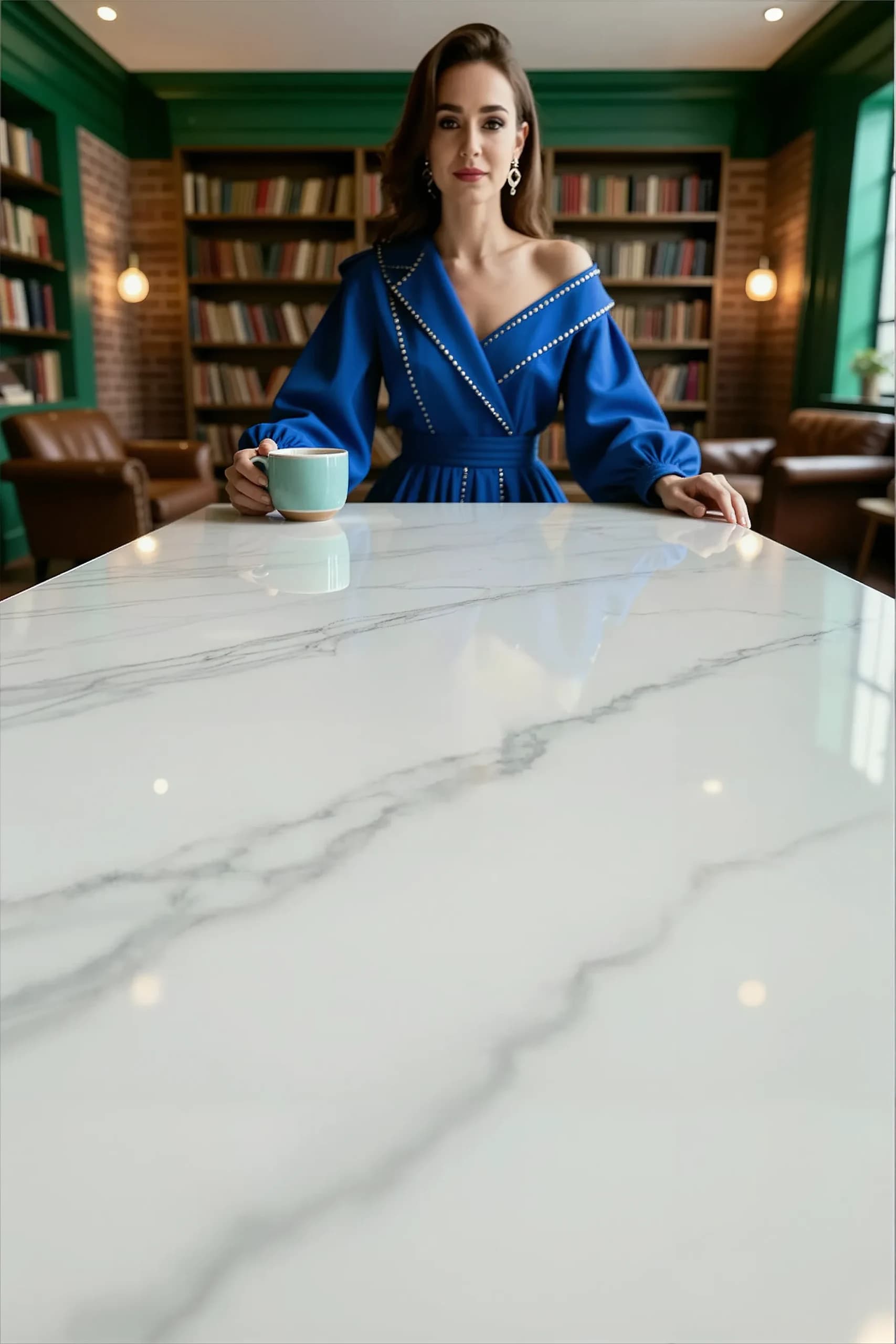
Beauty Editorial in a Colorful Library

A woman in royal blue sits behind a broad white marble surface in a green-paneled library. A pale cup and her hands remain at the far edge of the table.

Why it works
Blue clothing and green walls give the scene a distinct palette. The marble offers a quieter foreground, but this is a human-led editorial image, not an entirely prop-free room.
Placement guidance
Place the product in the clear lower portion of the marble, away from the cup and hands. Rebuild its reflection from the cutout and review the generated person before campaign use.
Channel use
The tall source leaves substantial marble below the subject for a portrait layout. Keep copy separate and avoid implying the generated character is a real customer or spokesperson.
Good product fits
Suggested uses: perfume, cosmetics, eyewear cases, or small personal accessories.
Discovery original · verticalPolished white marble
Empty front portion of a white marble table with a woman in royal blue holding a cup in a green library behind it
Read the scene-inspired prompt

Written for the scene shown above, not the original generation prompt. New results will vary.

Product photography backplate in a green-paneled library with bookshelves, warm wall lights and leather seating, an adult woman in a royal blue outfit holding a pale cup at the far edge of a polished white marble table, soft daylight, subtle grey veining and realistic reflections, broad empty front portion of the tabletop for a beauty or accessory composite, keep hands and cup behind the placement area, no product in the foreground, no packaging, no text or logo.
Use in generator

Browse the Discovery gallery
08

Home & everyday accessories · Collection tile

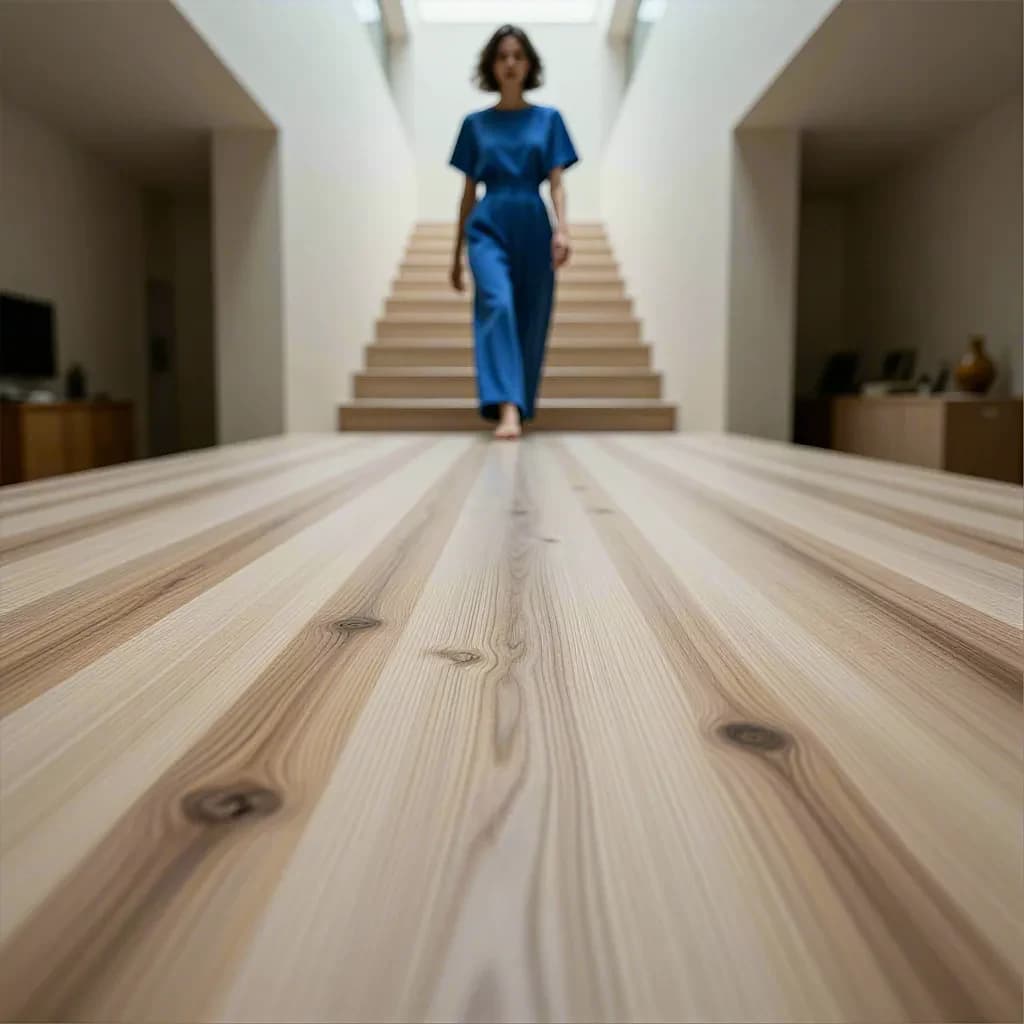
Everyday Accessories in a Warm Architectural Hall

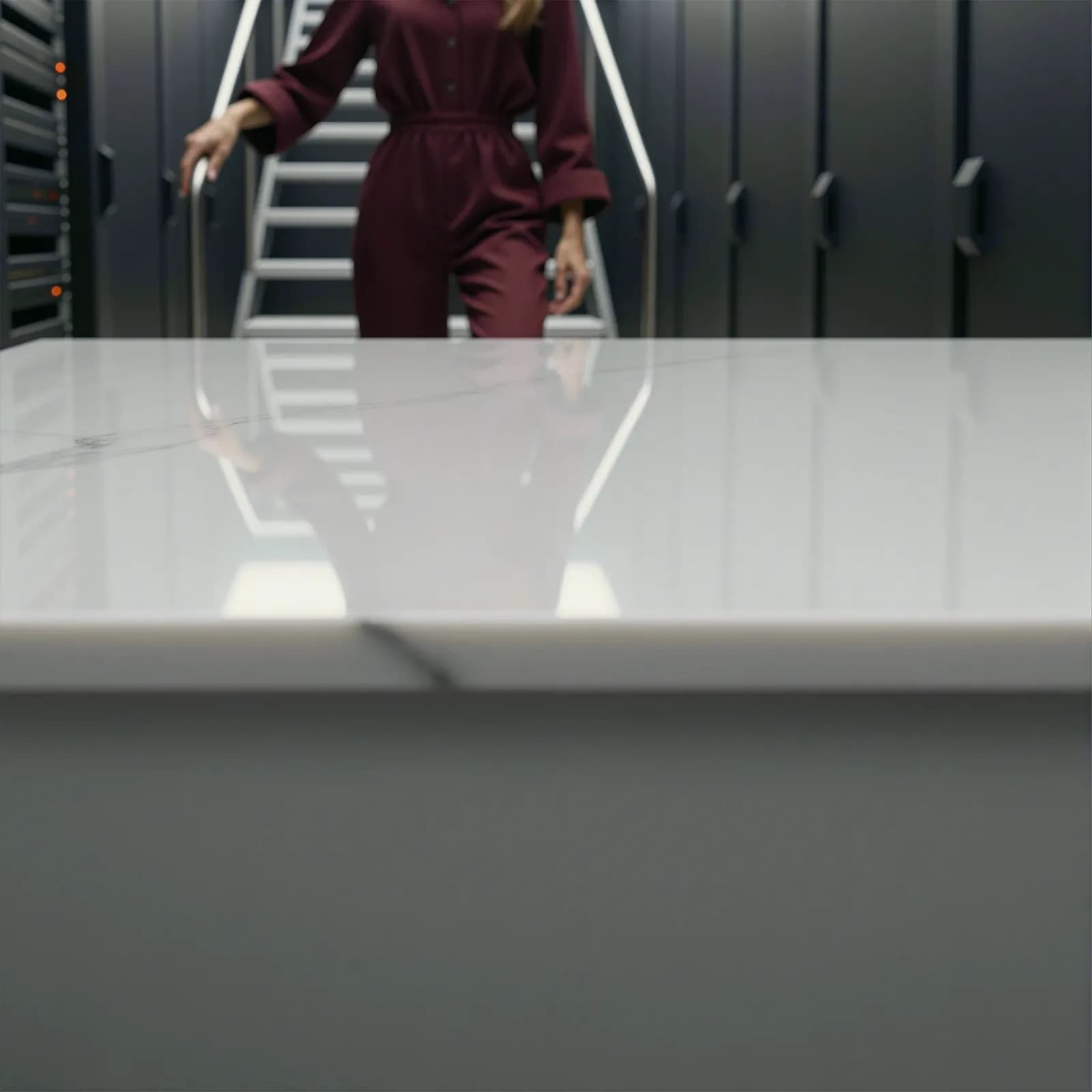
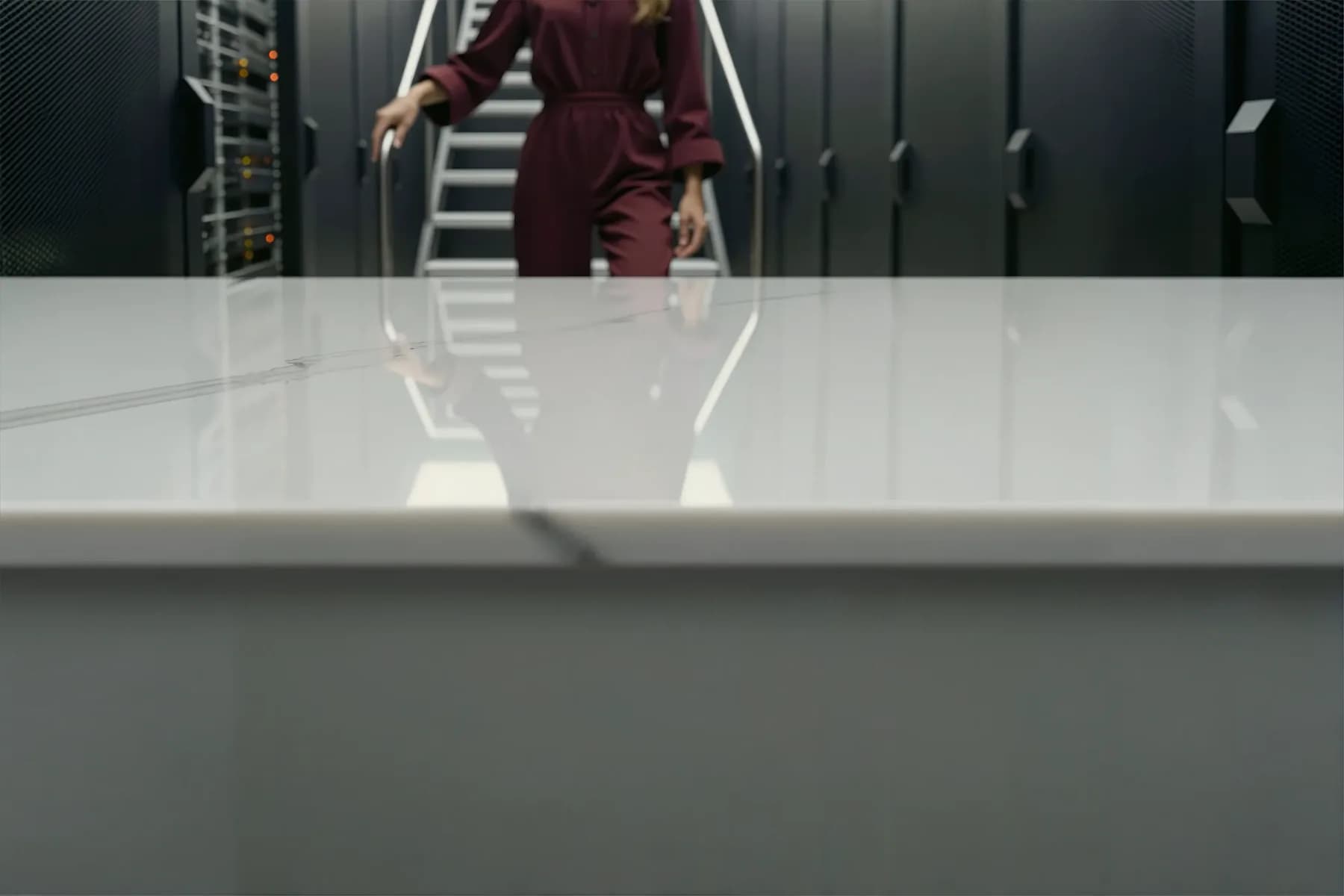
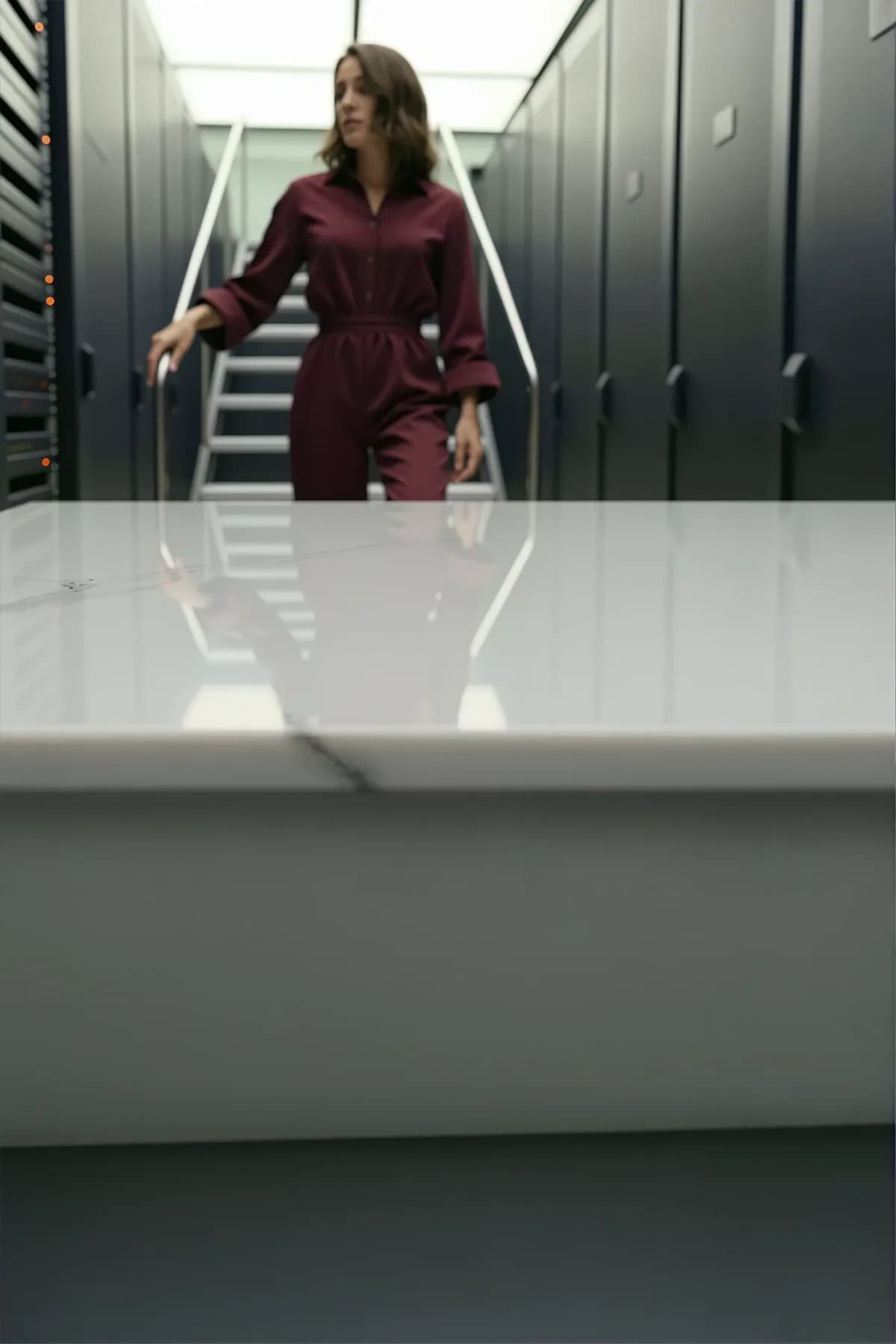
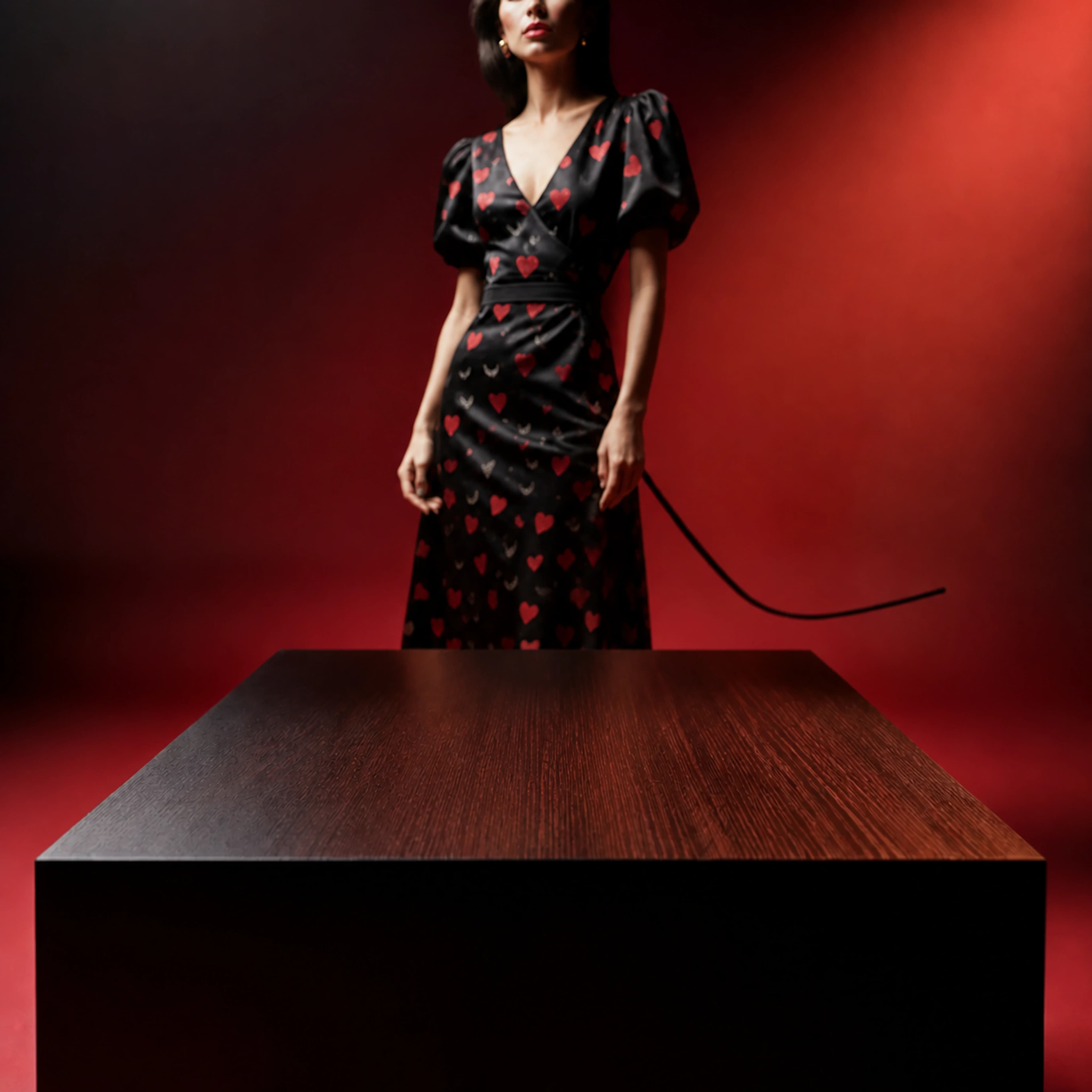
Long lines of pale wood lead toward a softly blurred woman in blue and a central staircase in a warm neutral interior.

Why it works
Repeated wood lines create depth without foreground props. Neutral architecture leaves the blue clothing as a single color accent for a restrained lifestyle direction.
Placement guidance
Keep the product low in the frame and align its base with the receding tabletop. The low camera angle needs a compatible packshot; a top-down product image would not fit naturally.
Channel use
Use the original square for a collection tile or social post. At 1024 pixels wide, this preview is a composition reference rather than a large-print master.
Good product fits
Suggested uses: small home accessories, cases, personal-care packaging, or compact tabletop objects.
Discovery original · squareLight satin wood
Empty light wood tabletop with long grain lines leading toward a woman in blue and a softly blurred staircase
Read the scene-inspired prompt

Written for the scene shown above, not the original generation prompt. New results will vary.

Empty product backplate in a warm minimal architectural hall, long pale satin-finished wooden tabletop with natural grain and knots dominating the foreground, a softly blurred adult woman in blue near a central staircase, neutral walls and gentle overhead daylight, camera close to table height with strong leading lines, keep the front and central tabletop clear for a small everyday accessory composite, no product, no packaging, no text or logo.
Use in generator

Browse the Discovery gallery

Backplate first

What an empty product backplate actually gives you

Many AI product photography tools begin with an uploaded packshot and promise to replace its background. That can be useful for fast catalog work, but it combines two decisions: what the environment should be and how the product should appear inside it. ProductBackground separates them. The service generates the world around the product—interior, architecture, atmosphere, spatial depth, surface, and camera view—without inventing the product itself.

The result is not a flat material swatch. The examples range from a desert oasis and an Arctic cabin to a fjord lodge and a colorful library. What matters is a usable placement area where the approved product can be composited later. Some results include props or people near the far edge, so inspect the actual image rather than assuming every part of the surface is empty.

This backplate-first approach is meant for teams that already care about the product asset. A retouch agency can keep the approved cutout, label, geometry, and color. An ecommerce team can develop several lifestyle directions before committing every SKU. A creative team can also use the generated environment as a standalone backplate or hero/header image when the campaign does not need a product at all.

The practical constraint matters: the flat placement surface and frontal perspective are designed around tabletop products roughly 10–35 cm tall. That gives a retoucher a credible floor plane on which to construct scale, contact shadows, and reflections. It is not an automatic composite, and it does not remove the need for finishing judgment. It creates a cleaner, more flexible starting point.

Lifelike world

Interior, architecture, atmosphere, and depth create a believable lifestyle context.

Empty where it matters

The product area stays clear, frontal, and free of generated packaging or copy.

Horizontal extension

Outpaint left and right when a banner needs a wider canvas.

Vertical extension

Outpaint above and below for mobile and portrait placements.

Lifestyle scene building

Build the world around the product in seven layers

Lifestyle product photography is not defined by adding a sofa or plant behind a packshot. The environment should communicate where the product belongs, who the world is for, and how the campaign should feel. ProductBackground lets that direction begin with a complete scene brief while the actual product remains outside the generation.

Compare the Arctic example with the library: pale stone, blue snow, a fox, and warm cabin light create a quiet outdoor world; white marble, bookshelves, a cup, and royal-blue clothing create a human-led interior. Both leave space for a product, but their colors, reflections, depth, and compositing constraints are different.

01

Character

Define who appears, what they are doing, how they are dressed, and where they sit in the depth of the scene.

02

Animals

Use domestic animals or wildlife as natural environmental context, with believable behavior and clear distance from people.

03

Food

Add regional ingredients, drinks, or ritual details when they support the story—not as random clutter on the product surface.

04

Objects

Field notes, furniture, textiles, tools, or travel objects can make a location feel inhabited and specific.

05

Surface

Specify the empty foreground material, color, finish, texture scale, reflection level, and usable placement area.

06

Lighting

Direct time of day, softness, contrast, weather, practical light, and atmospheric depth across the whole scene.

07

Location

Choose the actual world: home, spa, gallery, café, desert residence, forest retreat, observatory, or an imagined campaign set.

Human + wildlife scenes

Narrative depth without sacrificing the product plane

The alpine and Patagonian examples pair hikers with animals and mountain scenery; the oasis uses a gazelle beyond the table; the Arctic scene places a fox beside a cabin. These are generated scenes, not documentary photographs. Check anatomy, scale, and the relationship between subjects before using the scene in a campaign.

Keep the composition controllable

  • Separate depth: place people in the middle distance, wildlife farther back, and the product surface in the foreground.
  • Describe natural behavior: avoid staged contact, feeding, touching, or animals looking directly at the camera unless the concept requires it.
  • Protect the foreground: state that the flat placement surface must remain completely clear of people, animals, food, props, packaging, and text.
  • Review the result: inspect anatomy, scale, species details, cultural context, and whether the background supports the intended brand.

A repeatable structure

The five-part AI prompt formula for product backgrounds

A useful prompt starts with the lifestyle world, not just the tabletop material. Describe where the scene exists, how the space feels, and what creates depth. Then define the clear foreground surface, camera, atmosphere, and exclusions. The goal is a believable editorial environment rather than a flat texture sample or a finished advertisement.

  1. 01

    Lifestyle setting

    Name the interior, architecture, or place: villa, spa, home, café, gallery, or campaign studio.

  2. 02

    Placement surface

    Define the clear foreground material and finish where the real product will sit.

  3. 03

    Atmosphere and depth

    Describe daylight, season, color mood, background layers, and restrained lifestyle details.

  4. 04

    Composition and view

    Request a frontal camera, straight horizon, flat foreground, useful depth, and channel-specific negative space.

  5. 05

    Scale and exclusions

    State the 10–35 cm use case, keep props off the placement area, and exclude products, text, logos, and watermarks.

A compact reusable template

Replace the bracketed decisions, but keep the empty-scene and geometry requirements stable. Avoid asking the prompt to solve the finished ad, product placement, and typography at the same time.

Empty product backplate inside [lifestyle setting and architecture], [time of day and atmosphere], layered environmental depth with [restrained background details], clear flat [foreground material and finish] suitable for a 10–35 cm product, frontal camera at product height, straight horizon, [placement and negative space], background details may create context but the foreground must remain completely clear, no product, no packaging, no text, no logo, no watermark.

Environment + material

Choose a product world—not only a surface

The Discovery examples show how much the setting changes a surface. Beige stone feels warm beside a desert oasis; pale matte stone feels cool in an Arctic landscape. Polished grey stone reflects alpine light, brushed steel gives a living room a technical foreground, and wood takes on different moods beside a fjord, a mountain trail, or a staircase. White marble in the library leaves room for a product while the blue outfit and green walls carry the color story.

Free prompt control means both the setting and material vocabulary are open. You can request an exact marble, wood, or concrete family and place it in a believable spa, kitchen, gallery, terrace, café, or studio. Describe what sits far behind the product area, what remains softly out of focus, and how daylight travels through the space. Keep all lifestyle detail behind or beside the placement zone so the foreground remains usable.

Format guide

Plan the canvas around the placement—not a last-minute crop

The examples above show one original image per scene: landscape, portrait, or square. They are not three generated variants of the same result. The ratios below are layout targets. ProductBackground can extend a scene horizontally or vertically through outpainting, adding image area beyond the original borders. Decide where the product and copy will sit before choosing the direction.

1:1

Square

Marketplace galleries, product grids, organic social, paid-feed tests

Keep the product near the optical center and protect room for platform-specific overlays.

16:9

Horizontal

Homepage heroes, launch headers, email banners, display placements

Choose copy-side negative space early. A centered backplate remains flexible for multiple headline positions.

4:5

Vertical

Portrait feed ads, portrait PDP modules, email on small screens

Use the extra height deliberately. Preserve a broad floor plane instead of stretching the wall alone. Stories usually need a taller 9:16 canvas.

Generate here. Finish in Photoshop.

A backplate-to-composite workflow

Start by choosing the final channel and approximate product position. Generate several lifestyle directions with one consistent brand world, then judge them as plates: environmental credibility, depth, horizon, usable foreground, texture scale, negative space, and how clearly the real product can sit in the scene. Atmosphere matters, but it cannot obscure the placement zone.

Download the selected master PNG and bring it into the editor as the base layer. Place the approved product cutout above it, scale it against the material, and align the product camera view with the frontal plate. Build the contact shadow from the product’s actual footprint. If the surface is reflective, construct a controlled reflection from the real object rather than painting a generic glow beneath it.

Finish with local color and density adjustments so the product belongs in the scene, then add campaign typography, legal copy, and channel-safe overlays as separate layers. Export each channel from the layered master. If a wider or taller plate is required, return to the backplate and outpaint horizontally or vertically before final layout rather than forcing every channel through one crop.

  1. 01

    Generate

    Create several lifelike plates around one clear environment and material direction.

  2. 02

    Select

    Check horizon, scale, foreground, texture, and negative space.

  3. 03

    Composite

    Place the approved product and establish believable contact.

  4. 04

    Refine

    Adjust masks, shadow, reflection, color, and local depth.

  5. 05

    Export

    Build channel variants from the layered master and keep copy editable.

FAQ

Questions about product backgrounds and prompts

For current credits, production capacity, and commercial terms, use the pricing page as the source of truth.

What is a product photography backplate?

A backplate is the empty environment behind and beneath a product composite. ProductBackground generates the location, architecture, foreground surface, perspective, lighting, and atmosphere without inserting the product, logo, or campaign copy. A retoucher can then place the approved product asset and build its contact shadow or reflection from the real object.

How is a lifestyle product background different from a studio background?

A studio background mainly provides a controlled wall, sweep, or surface. A lifestyle background adds a recognizable world: an interior, landscape, human moment, wildlife encounter, weather condition, or cultural setting. ProductBackground can create that narrative context while keeping the foreground usable for compositing.

Can a generated product background include people?

Yes. Characters can appear as environmental storytelling elements: travelers, researchers, guides, artists, athletes, or other people relevant to the scene. Keep them behind or beside the intended product area, describe their action and clothing clearly, and review anatomy, identity, and brand suitability in every output.

Can I create product photography backgrounds with wild animals?

Yes. Wildlife can be described as part of the distant environment, such as elephants beyond a lodge, cranes outside a pavilion, or orcas beyond a coastal observatory. Prompts work best when they specify natural behavior, visible separation from people, and an empty foreground. Generated animals should always be checked for anatomical and contextual realism.

Which scene elements can I control?

The prompt builder and free-form prompt can direct seven practical layers: character, animals, food, objects, surface, lighting, and location. You can also specify color, atmosphere, weather, architecture, camera view, negative space, and which details must remain outside the product area.

How do I keep people, animals, or props away from the product area?

Describe the product plane explicitly: ask for a clear, flat foreground surface, a frontal camera at product height, a straight horizon, and all narrative elements in the middle or far background. Repeat that the foreground must remain completely empty and exclude pedestals, products, packaging, text, and logos.

Which products are these background ideas designed for?

The service is designed around tabletop products approximately 10–35 cm in size. That includes many fragrance, skincare, beverage, candle, accessory, jewelry, and compact electronics packages. Suitability still depends on the photographed product angle, intended scale, and the composite a retoucher plans to build.

Does ProductBackground add my product automatically?

No. It creates an empty backplate. That separation is intentional: product edges, labels, pack geometry, color, reflections, and final campaign copy stay under the control of the ecommerce or retouching team.

Can I choose an exact surface material, color, or finish?

Yes. Free-form prompt control can describe the foreground and surrounding materials, including specific marble, wood, concrete, metal, stone, glass, terrazzo, resin, or acrylic directions. Because the output is generative, inspect whether the resulting texture, scale, and finish suit the real product before compositing.

Can I create several images that belong to the same campaign world?

Yes. Reuse the same location, material family, lighting direction, palette, camera height, and exclusions while changing only the intended variable. Generated outputs still vary, so select a strong master direction and use retouching judgment to maintain campaign consistency.

What image formats can I create?

Start from a generated backplate and extend it horizontally or vertically when the layout needs a wider or taller canvas. This is outpainting, not an automatic crop. Plan product position and negative space before choosing the final extension direction.

Can a backplate be used as a standalone hero or header image?

Yes. The environment can work without a product when a landing page, editorial header, presentation, or campaign needs an atmospheric visual. Keep typography outside the generated image so copy remains accessible, localizable, and editable.

Do I need advanced Photoshop skills?

You need a compositing workflow appropriate to your product. At minimum, that usually means a clean product asset, scale and perspective judgment, a believable contact shadow, and color adjustments. Professional retouchers can take the same backplate further with masks, reflections, depth, and campaign-specific finishing.

Can I use the generated images commercially?

Commercial use is included for generated outputs under the applicable plan terms. The pricing page is the current source of truth for plans, credits, production capacity, and license details.

Lifelike world, empty product area, full creative control

Ready to create your own backplate?

Describe the world your product belongs in—from a real interior to an impossible campaign set—then keep the foreground ready for Photoshop.